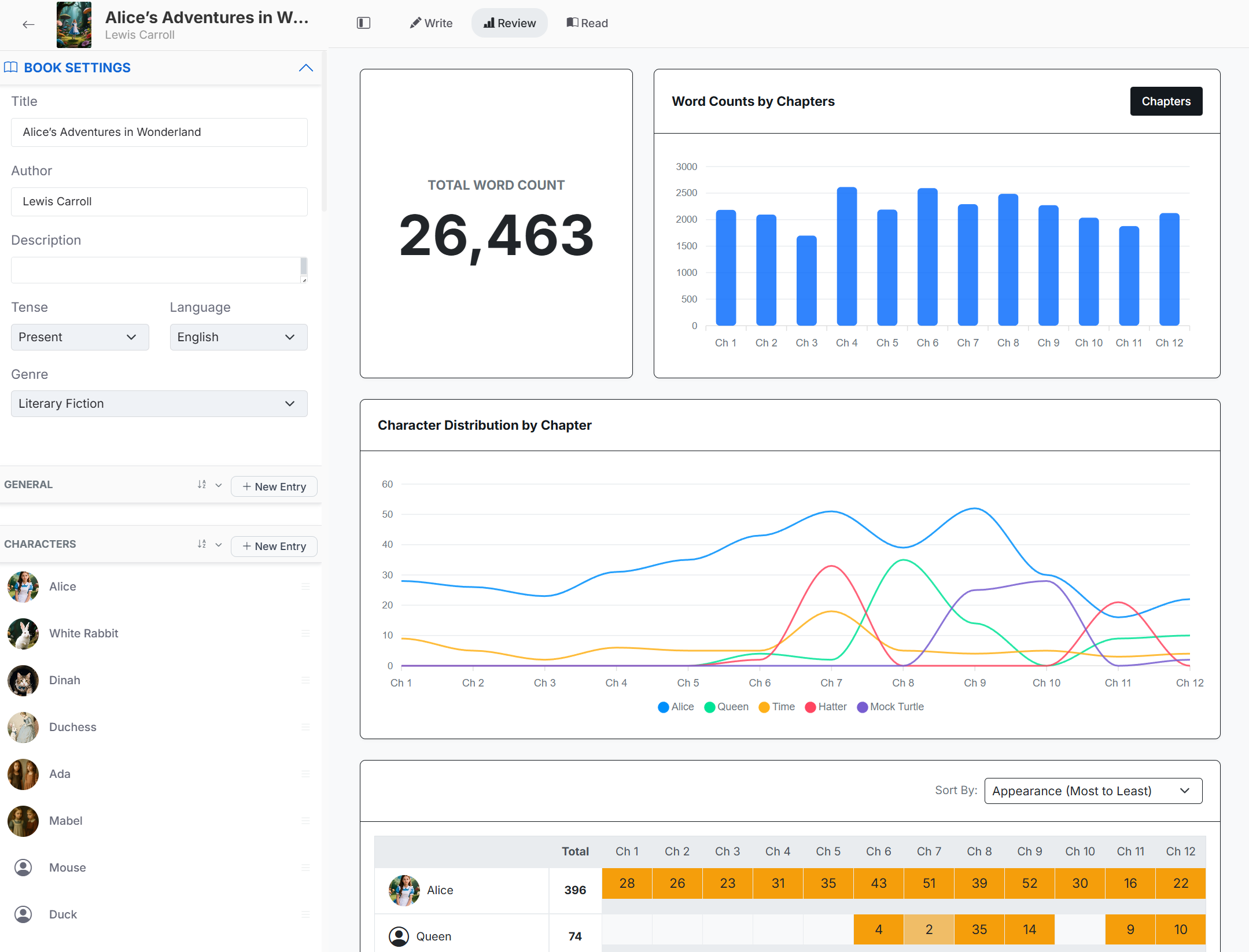
Review mode
Select Review in the editor toolbar. The dashboard shows total manuscript word count, chapter or scene-length comparisons, character distribution, and an appearance heatmap. These views help locate unusually long chapters, missing characters, and sections that may need revision.
Good to know
- Charts describe the manuscript; they do not grade the quality of the writing.
- Character analysis depends on Codex entries and names found in chapter content.
- Use the heatmap sorting control to inspect appearances from different angles.
Read mode
Select Read to display the table of contents and every chapter in manuscript order. Use it for a continuity pass, to check titles and subtitles, and to see how front matter, body chapters, and end matter fit together.
Chapter and library statistics
Write mode shows words, estimated pages, and estimated reading time for the current chapter. My Books shows project-level chapter count, word count, estimated page count, and last update.
A practical revision loop
Read the book or a sequence of chapters without editing.
Open Review mode and note structural outliers.
Return to Write mode to revise the relevant chapters.
Update chapter summaries and Codex entries when story facts change.
Repeat the review and export a fresh draft when ready.