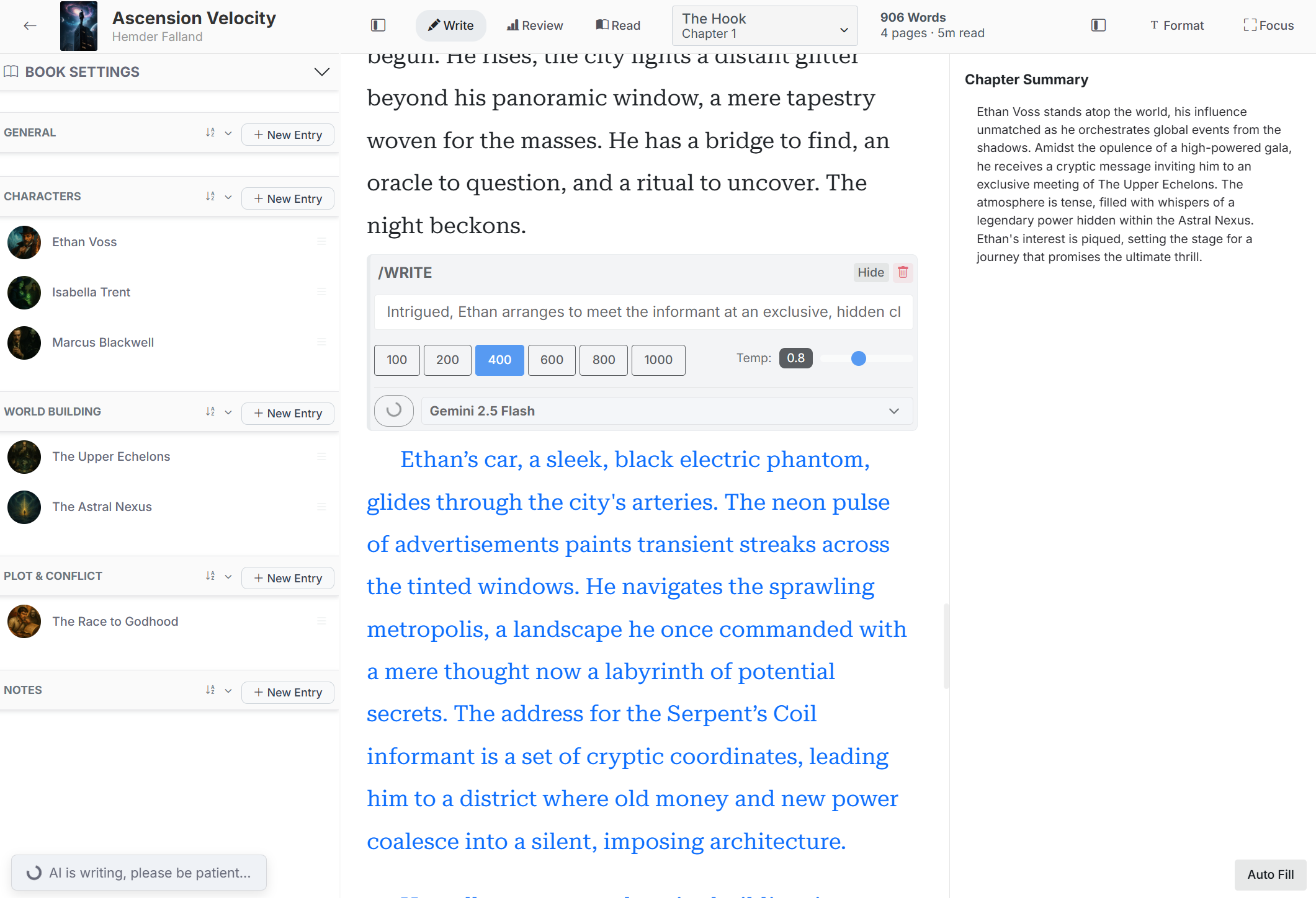
Create and edit entries
Categories can represent characters, locations, events, objects, organizations, lore, plot elements, or other information. Aliases help FictionFusion recognize nicknames and alternate names in the manuscript.
Open a Codex category in the editor sidebar.
Select the plus button and enter the entry name.
Open the entry to add aliases, change its category, write a description, and attach an image.
Select Save Changes.
Use entries while writing
Codex names and aliases can be highlighted in the prose. Select an entry in the sidebar to check its description without leaving the chapter. Sort a category alphabetically, by date created, order of appearance, or usage.
Build the Codex from existing prose
The chapter actions menu includes Detect Characters, Detect World Elements, and Detect Lore. Each tool analyzes the current chapter, presents suggested entries, and lets you choose what to save. Review and edit detected information before adding it.
Optional AI assistance
Use AI Autofill to draft an entry description from your instructions and the book context. When image generation is enabled, Generate AI can create an entry image from a visual prompt. You can always write descriptions or upload images manually.