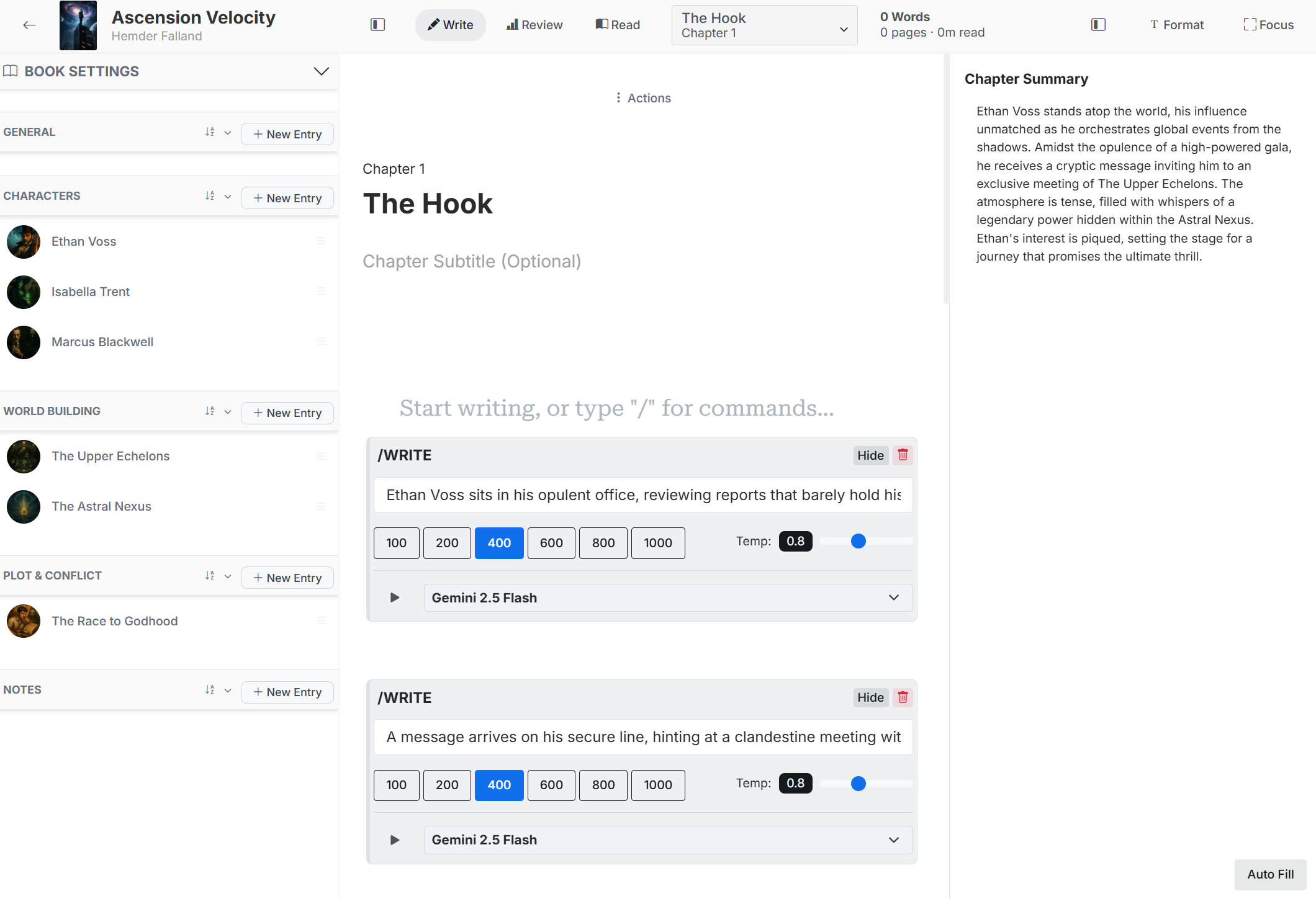
Write from the cursor
The request uses text around the cursor and book context to continue from the current location. A clear prompt such as “Mara realizes the map is a warning, not a route” is more useful than “continue.”
At the beginning of a paragraph, type /write and press Enter.
Describe the passage you want in the writing block.
Choose an approximate word count, temperature, and available model.
Generate the response, then edit or remove the result in the manuscript.
Generate scene beats
Type /generate_beats to request ten possible scene beats. Beats are short directions rather than finished prose. Use them to plan the next exchange, reveal, obstacle, or transition before drafting it yourself or requesting a passage.
Rephrase selected text
Rephrase replaces the selected range with the generated response. Review the result immediately and revise it to preserve meaning, facts, and voice.
Select a sentence or passage.
Choose Rephrase from the floating menu.
Describe the desired change, such as “make this more concise and tense.”
Choose an approximate length, temperature, and model, then select Rephrase.
Chat with Book
Use Chat with Book to ask questions about plot, characters, continuity, or the current manuscript. Select a model and temperature, enter a question, and review the streamed response. Chat history is stored in the current browser and can be cleared from the dialog.
AI Book Wizard
When enabled, New AI Book opens a three-step process. First provide the concept, genre, tense, language, model, and temperature. Next edit the generated title, blurb, cover prompt, characters, world details, and plot conflict, then select a story structure. Finally edit the generated chapter titles and summaries before creating the book.
Good to know
- Nothing is final until you create the book, and the created content remains editable.
- Regenerate only when a new attempt is more useful than editing the current result.
- Higher temperature generally produces more variation; lower temperature generally produces more focused results.