Write chapter by chapter
Give each chapter a title and subtitle, then move through the manuscript without juggling separate documents.
A complete home for your book
FictionFusion gives you a calm place to write the traditional way, organize every moving part of your manuscript, and call on AI only when it genuinely helps. Your prose stays at the center. The tools stay within reach.
Plan first or discover the story as you go. FictionFusion supports both.
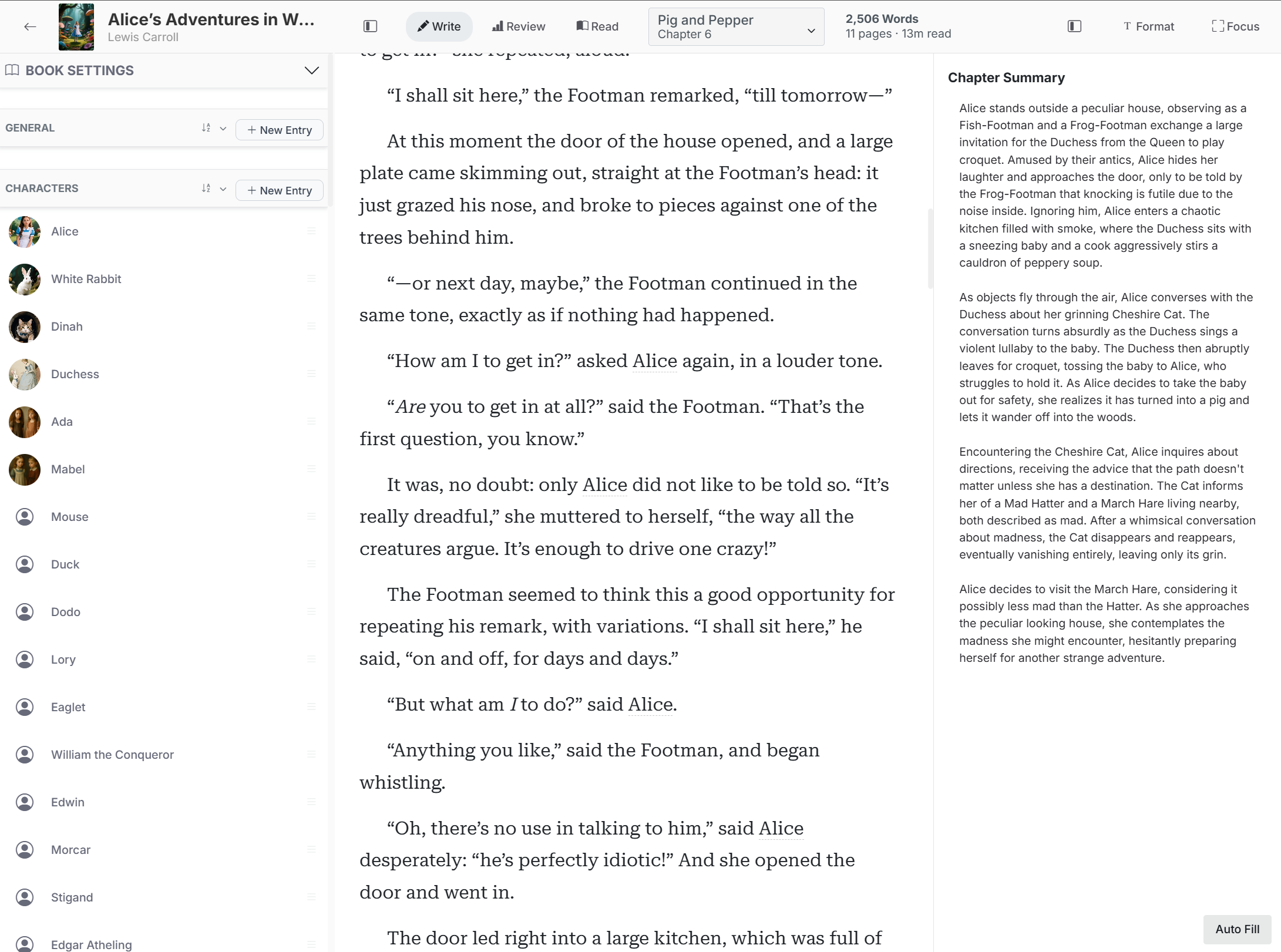
The writing comes first
Open a chapter and write. Shape paragraphs, move through your manuscript, and keep the creative work in one clean space. Nothing requires AI; the editor stands on its own as a practical long-form writing environment.
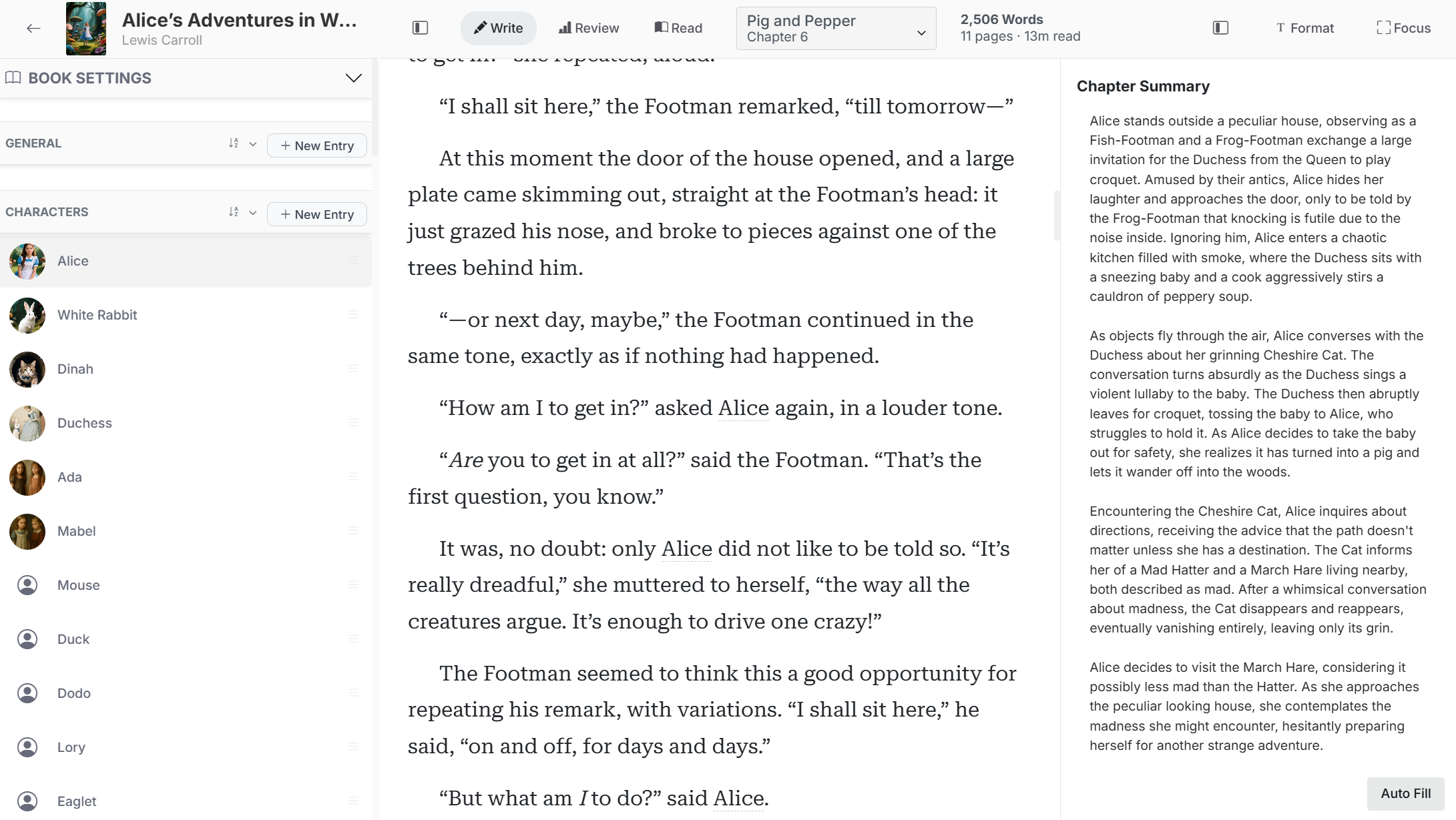
Give each chapter a title and subtitle, then move through the manuscript without juggling separate documents.
Keep chapter word count, estimated pages, reading time, notes, and story references close to the prose.
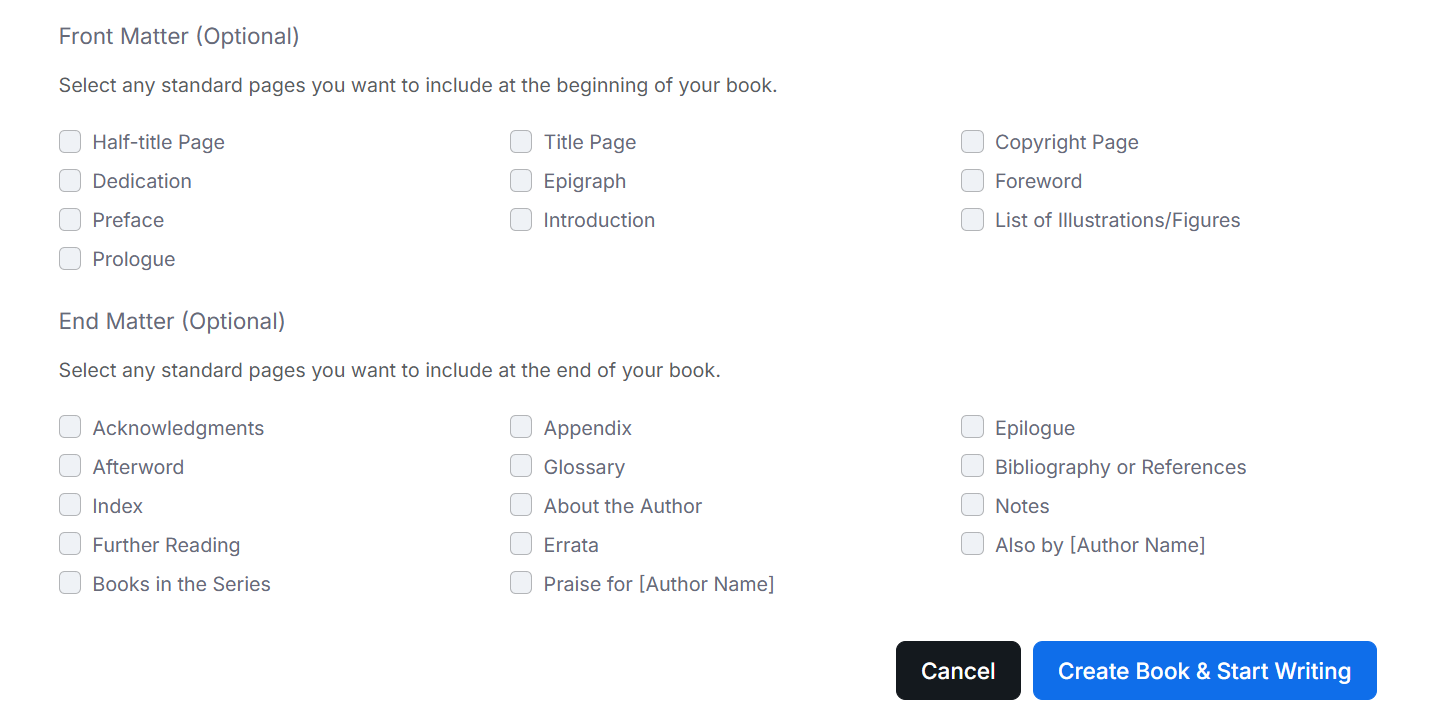
Restructure chapters as the book changes, including front matter, body chapters, and end matter.
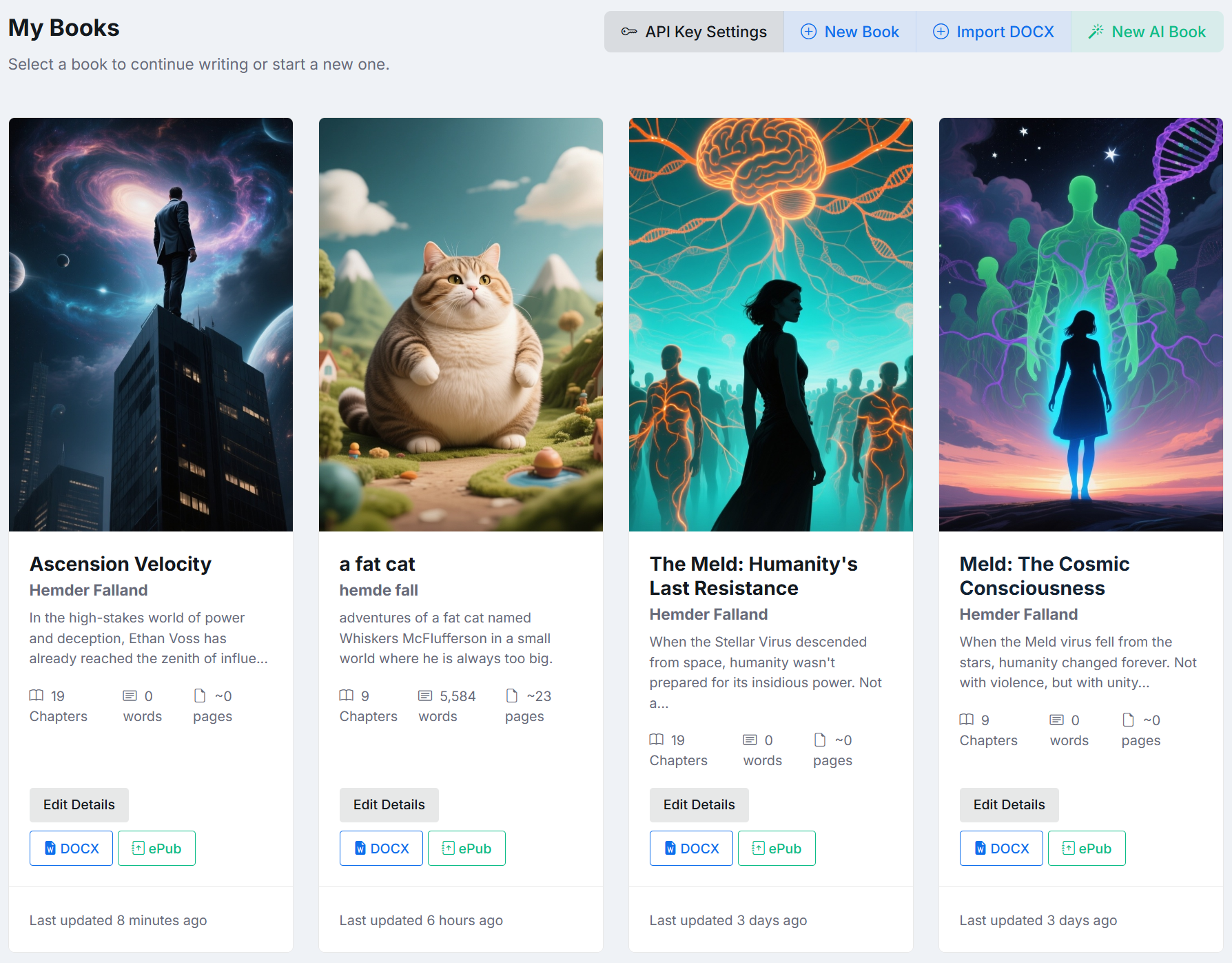
Your writing library
See your books as a working library instead of a maze of folders and filenames. Covers and project details make each manuscript easy to recognize, while chapter and word information shows where the work stands.
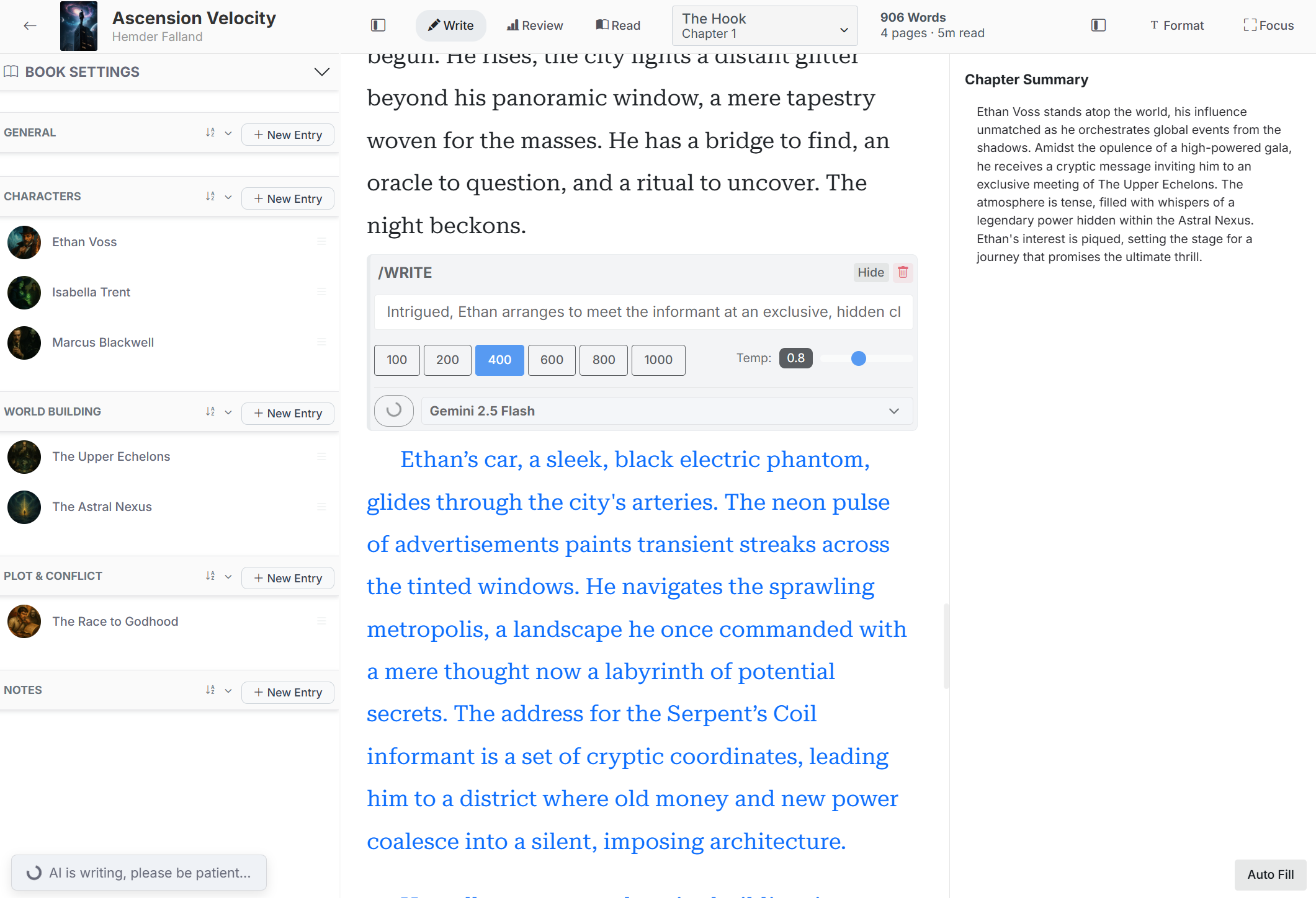
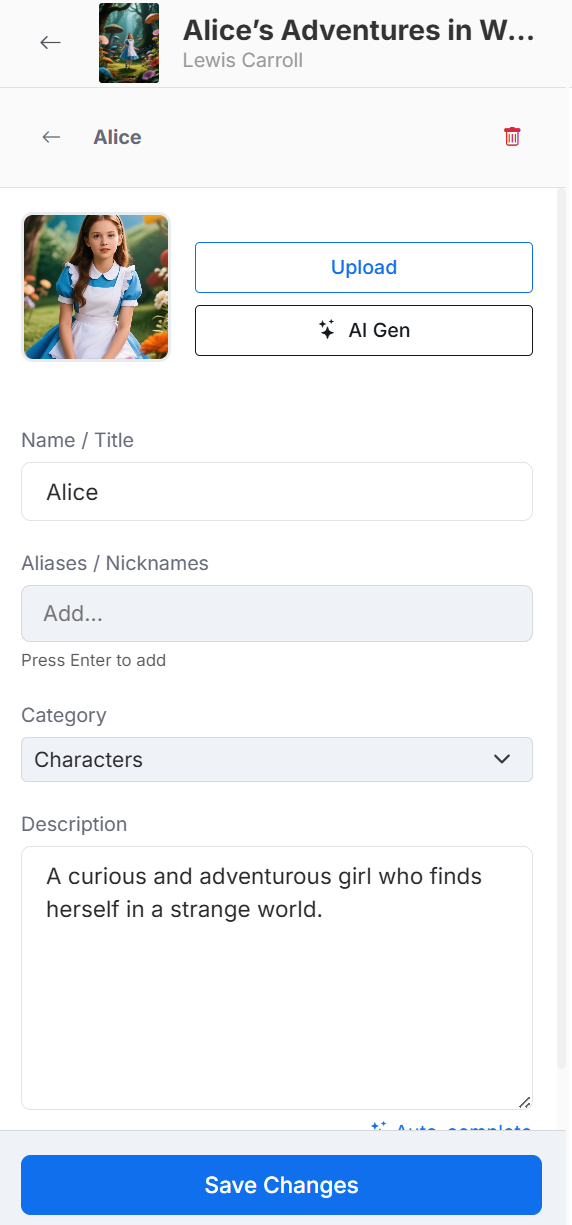
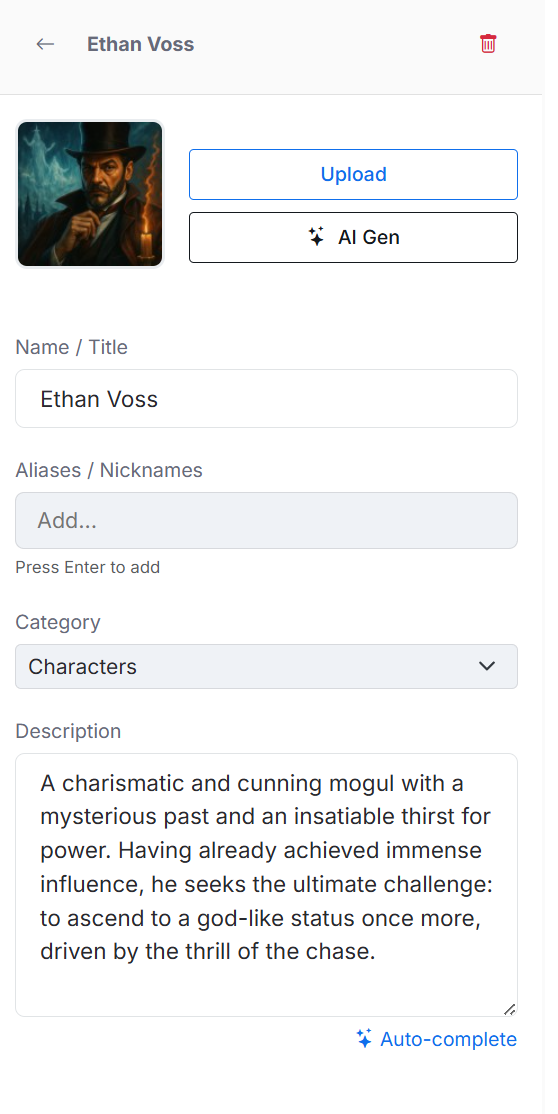
A living story bible
The Codex gives the world around your prose a structure. Build reusable entries for characters, locations, events, objects, groups, history, or any category your book needs. Keep names, aliases, images, and descriptions together.
See the shape of the book
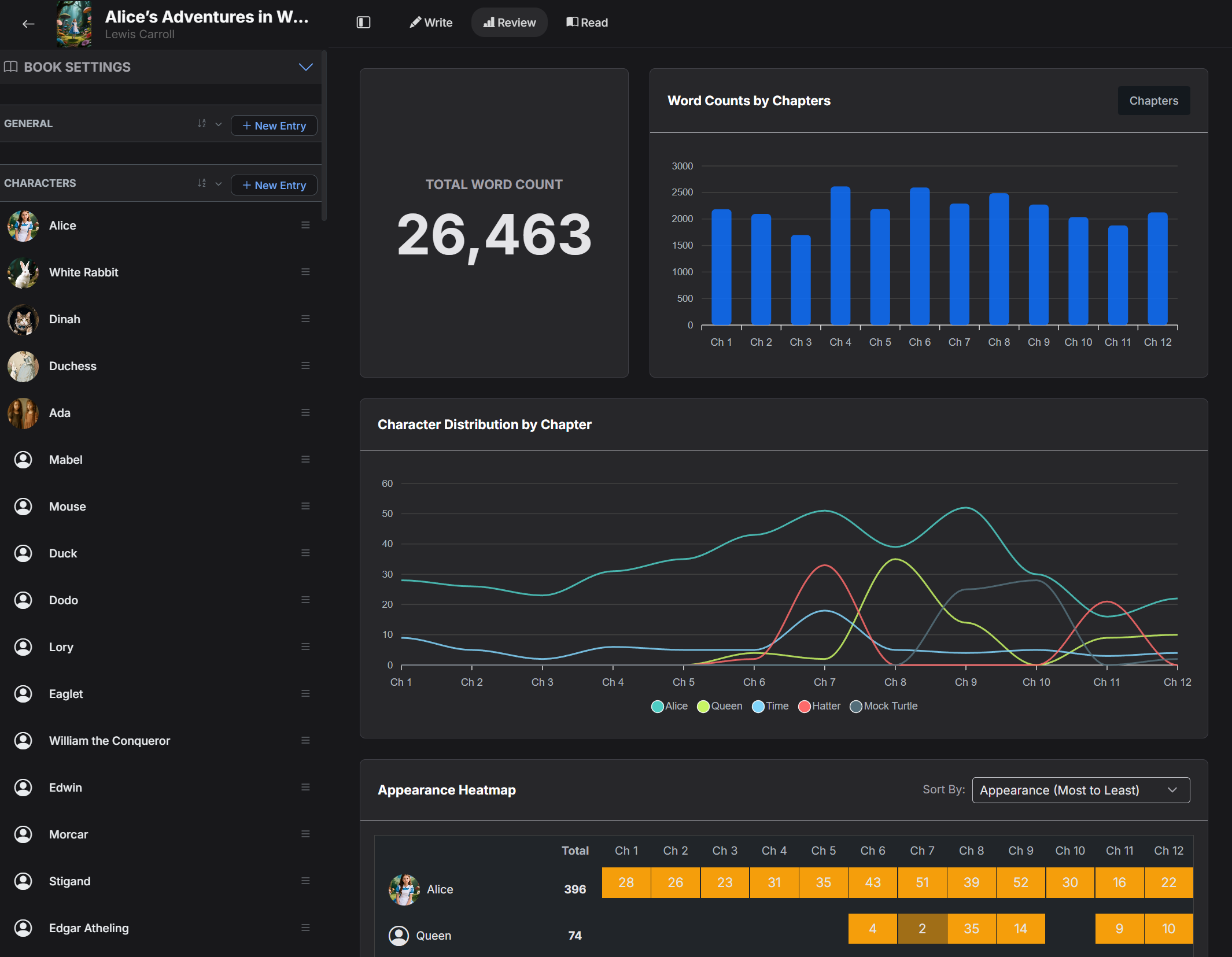
A manuscript feels less overwhelming when you can see its size, rhythm, and balance. Review mode turns your draft into useful signals without reducing the work to a single word-count number.
Manuscript review
Watch the manuscript grow over time and inspect how its parts relate to one another. Use the dashboard as a practical revision companion, whether you write every day or in longer, less regular sessions.
Chapter-level statistics make each writing session visible and help you return with context.
Compare chapters and character presence before a pacing or continuity problem gets buried.
Use concrete patterns to decide where to expand, tighten, rebalance, or deepen the story.
AI that joins your process
FictionFusion places AI inside the writing workflow so it can work from your book's context. You decide when to use it, what model to use, how much to generate, and whether any suggestion belongs in the manuscript.
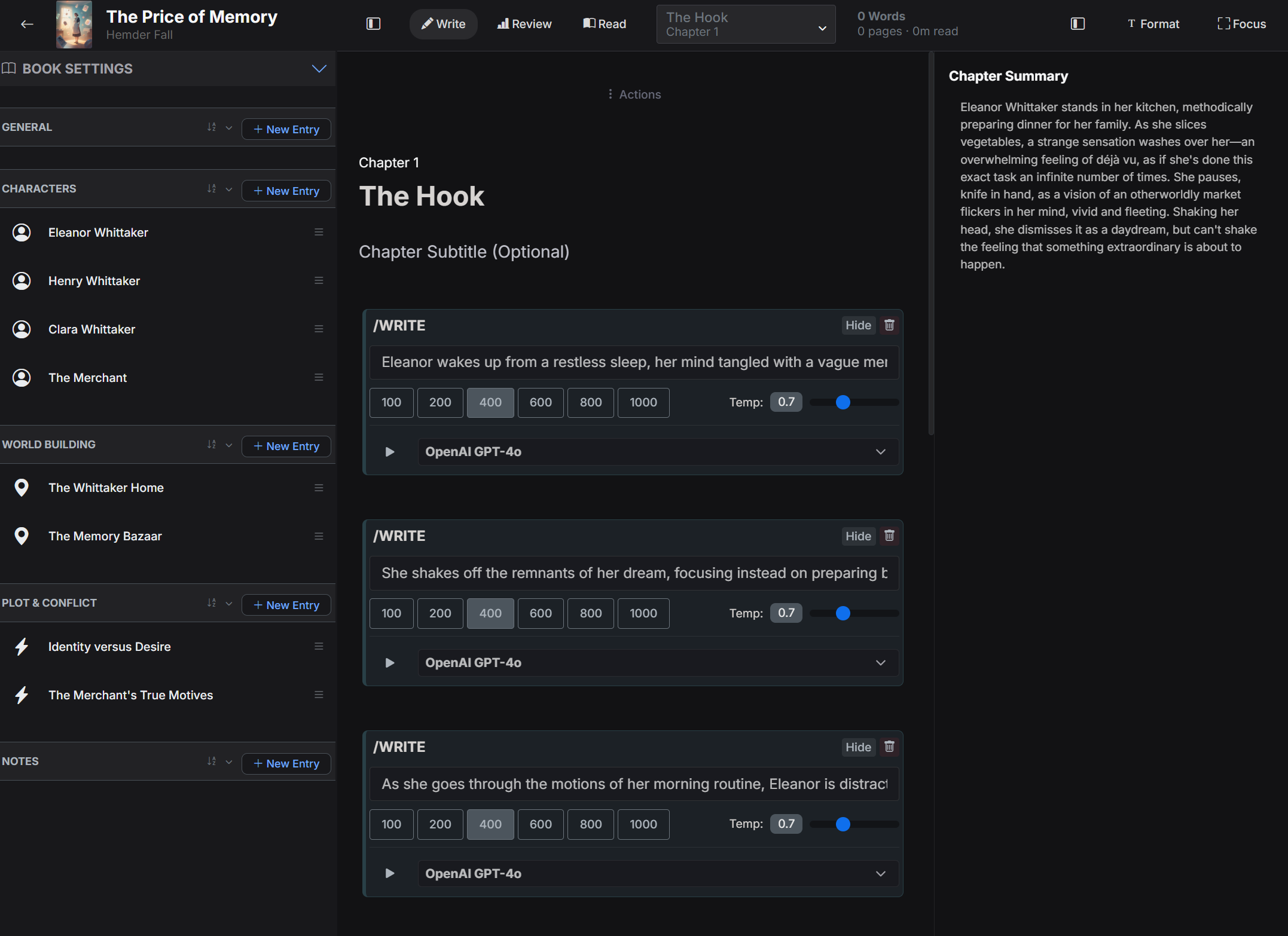
Break through the blank page
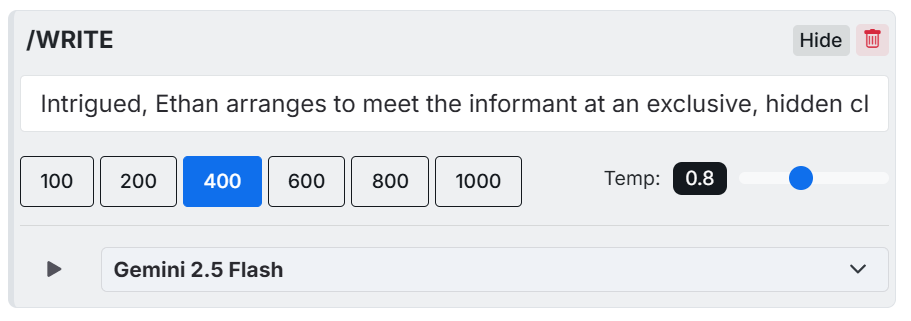
Describe the moment you want to write, add scene beats, or ask for several possible continuations. The AI can use your chapter and story context to help you explore a direction while you remain the editor and final author.
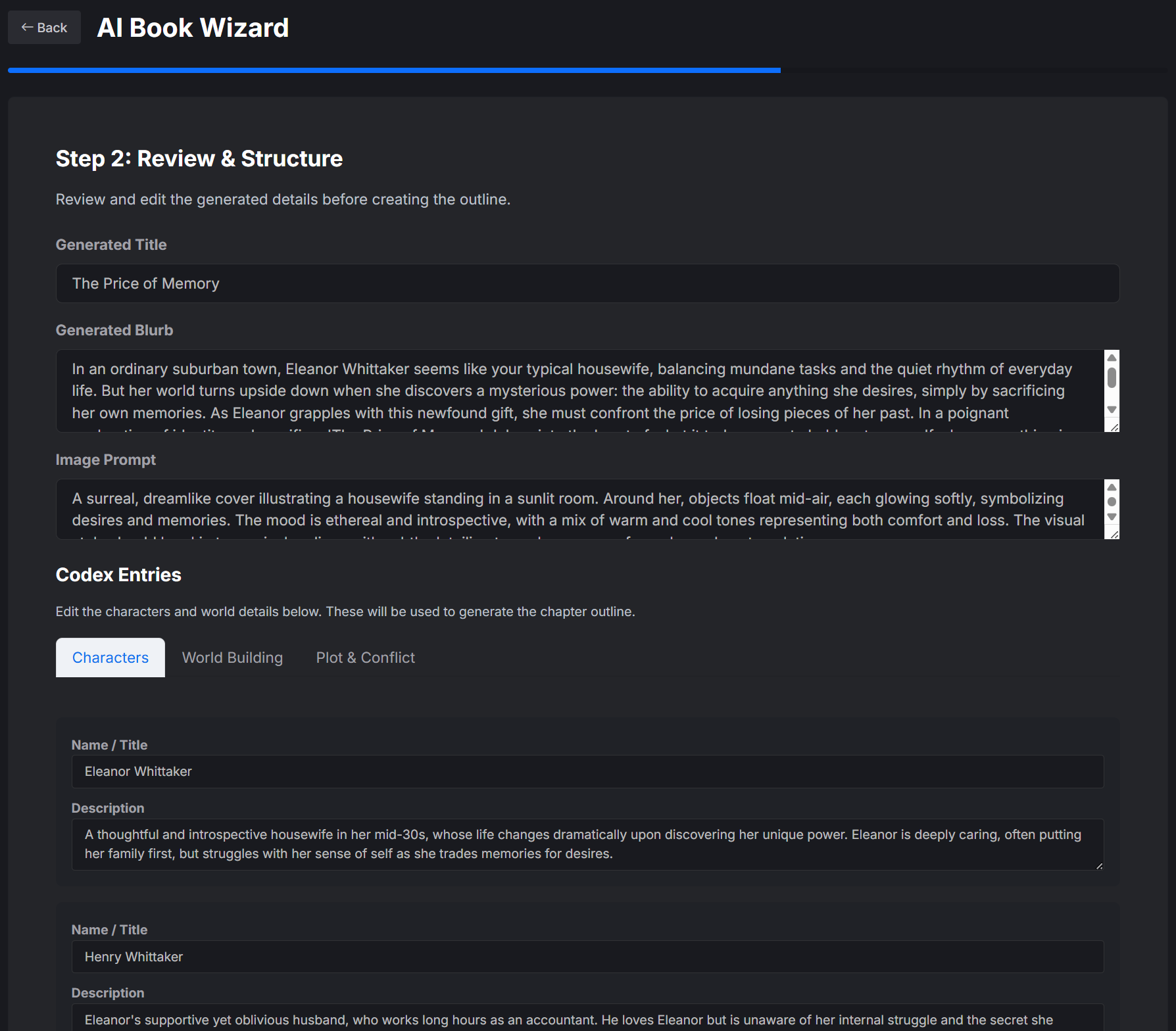
Develop a new book
The AI Book Wizard helps when you have an exciting seed but not yet a complete plan. Establish the concept, shape characters and world details, then review a proposed chapter structure before the book is created.
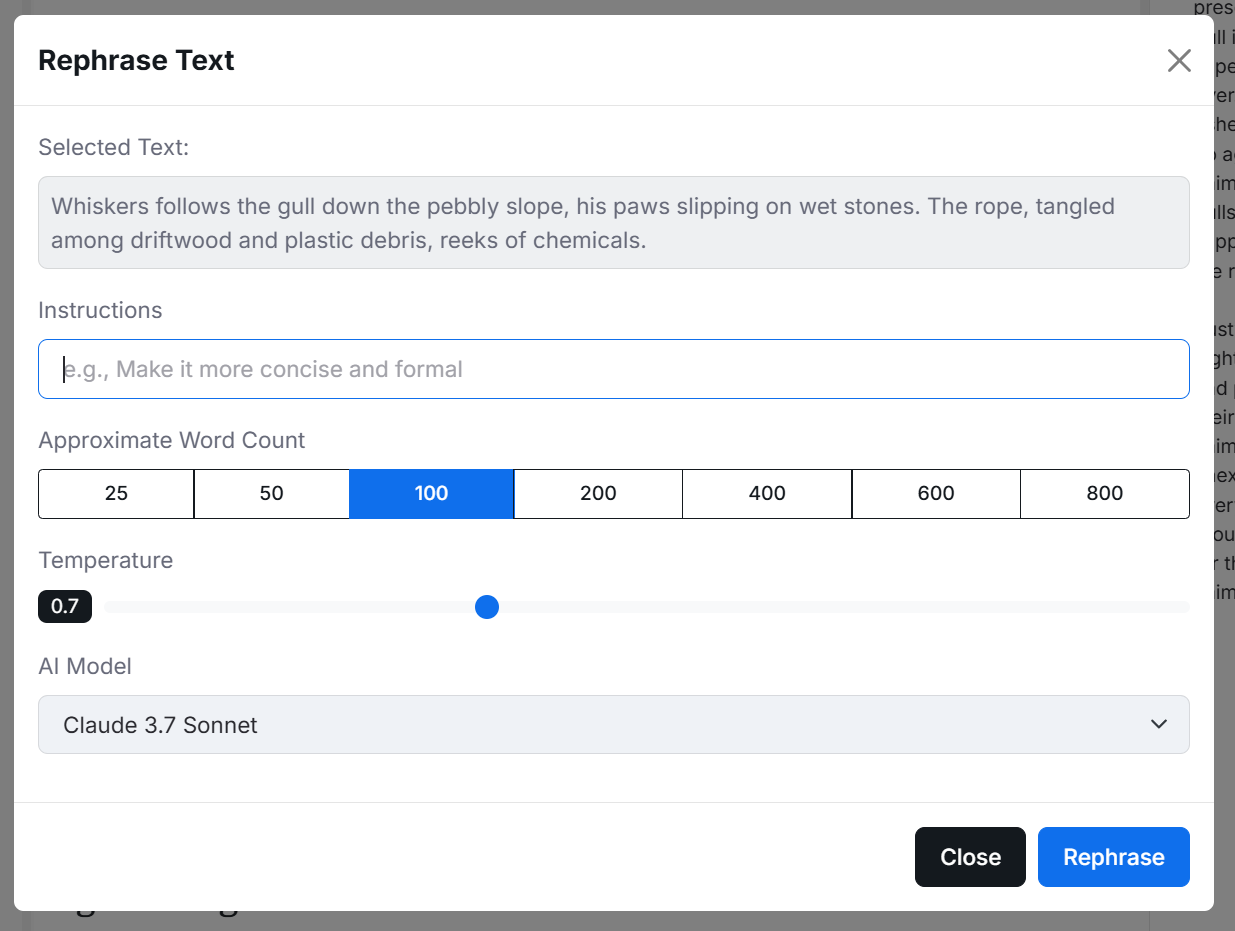
Refine existing prose
Select a passage and ask for a rephrase. Give a custom instruction, control the target length, and choose the model. Use it to make language clearer, more concise, more vivid, or closer to the voice you are building.
Use a compact inline panel to describe the next passage without losing your place.
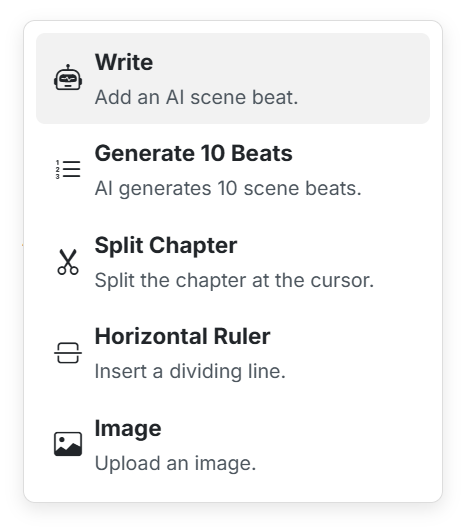
Open the slash menu to write, generate beats, split a chapter, add a line, or insert an image.
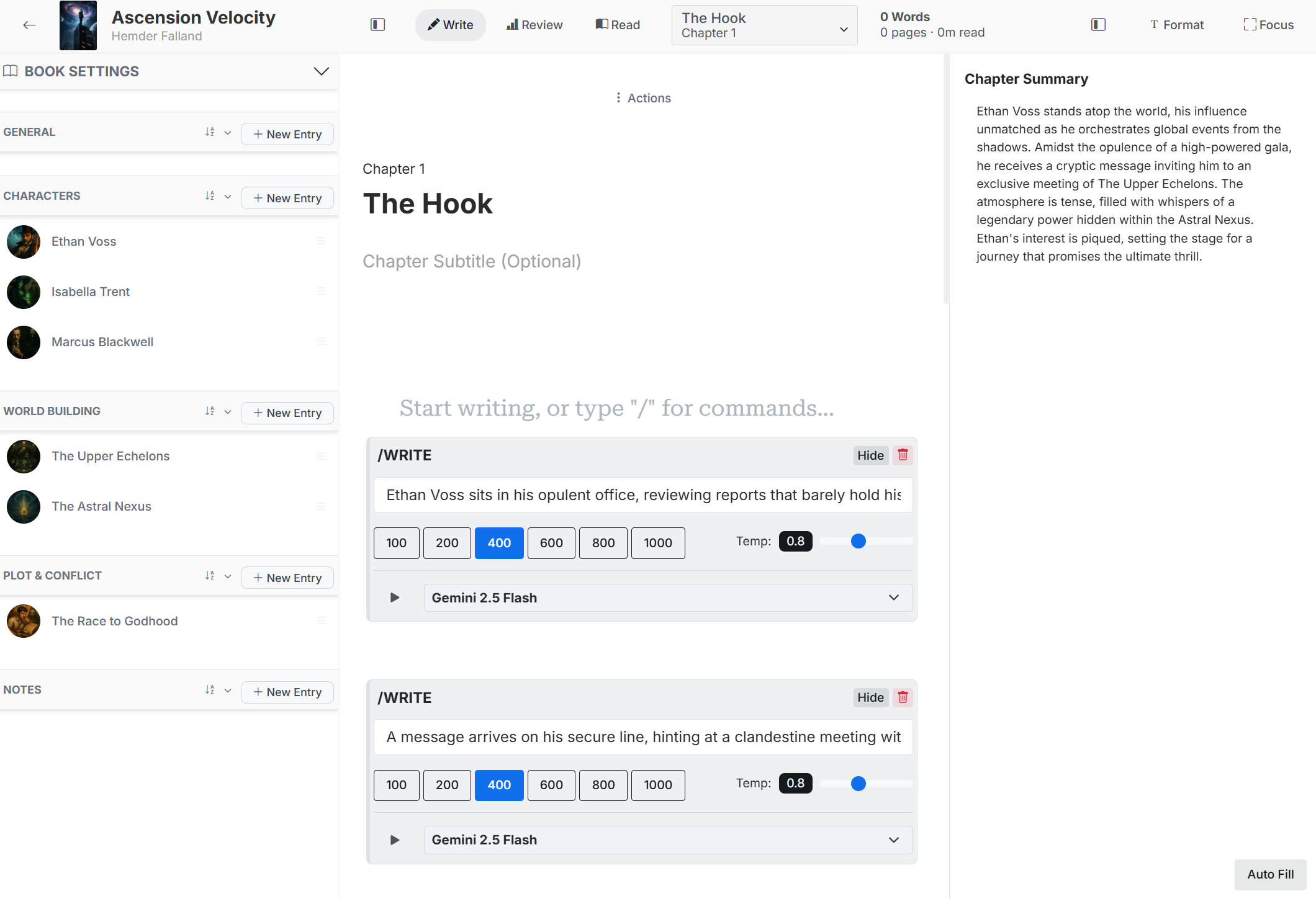
Collaborate without surrendering the page
AI suggestions appear as material to evaluate, not invisible changes to your manuscript. Keep the line you love, combine two approaches, rewrite the rest in your voice, or reject everything and take the scene somewhere new.
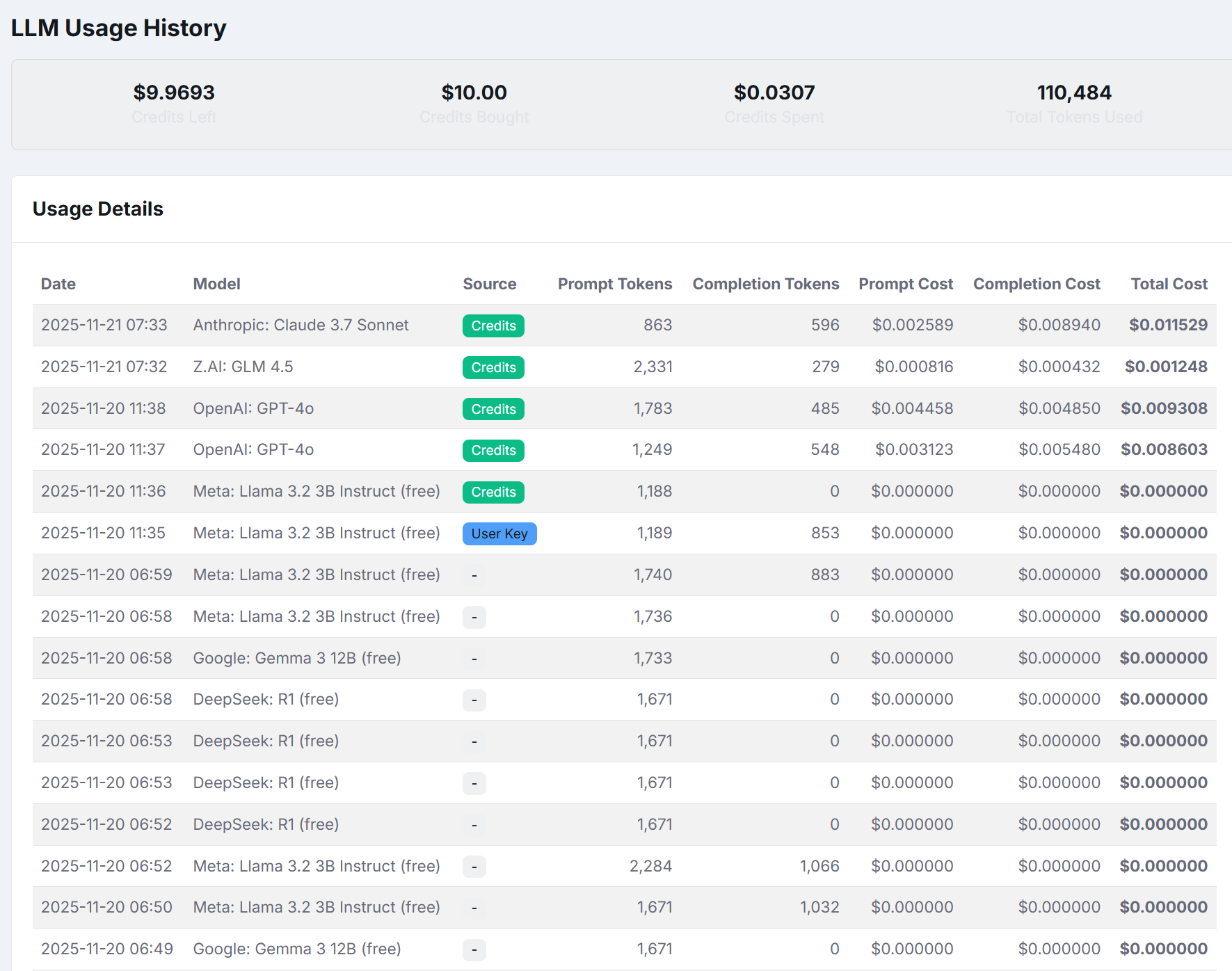
Transparent model choice
Different models suit different jobs. Pick a model for a writing or revision request, then review usage history with request type, model, token counts, and cost information. The creative tool should not be a black box.
From first page to finished book
Outline every turn or write into the unknown. Work alone or use AI as a sounding board. FictionFusion keeps the practical stages of making a book connected.
Create a blank book, use the guided setup, or import a DOCX manuscript and review how its chapters are divided.
Build an outline, define the world, and create Codex entries, or leave space for discoveries as you draft.
Draft in a focused editor, reorder the manuscript, add special book matter, and keep chapter summaries nearby.
Generate beats, explore prose, rephrase a selection, detect story details, or ask questions about the book.
Study chapter lengths, character distribution, total word count, and writing progress as the manuscript matures.
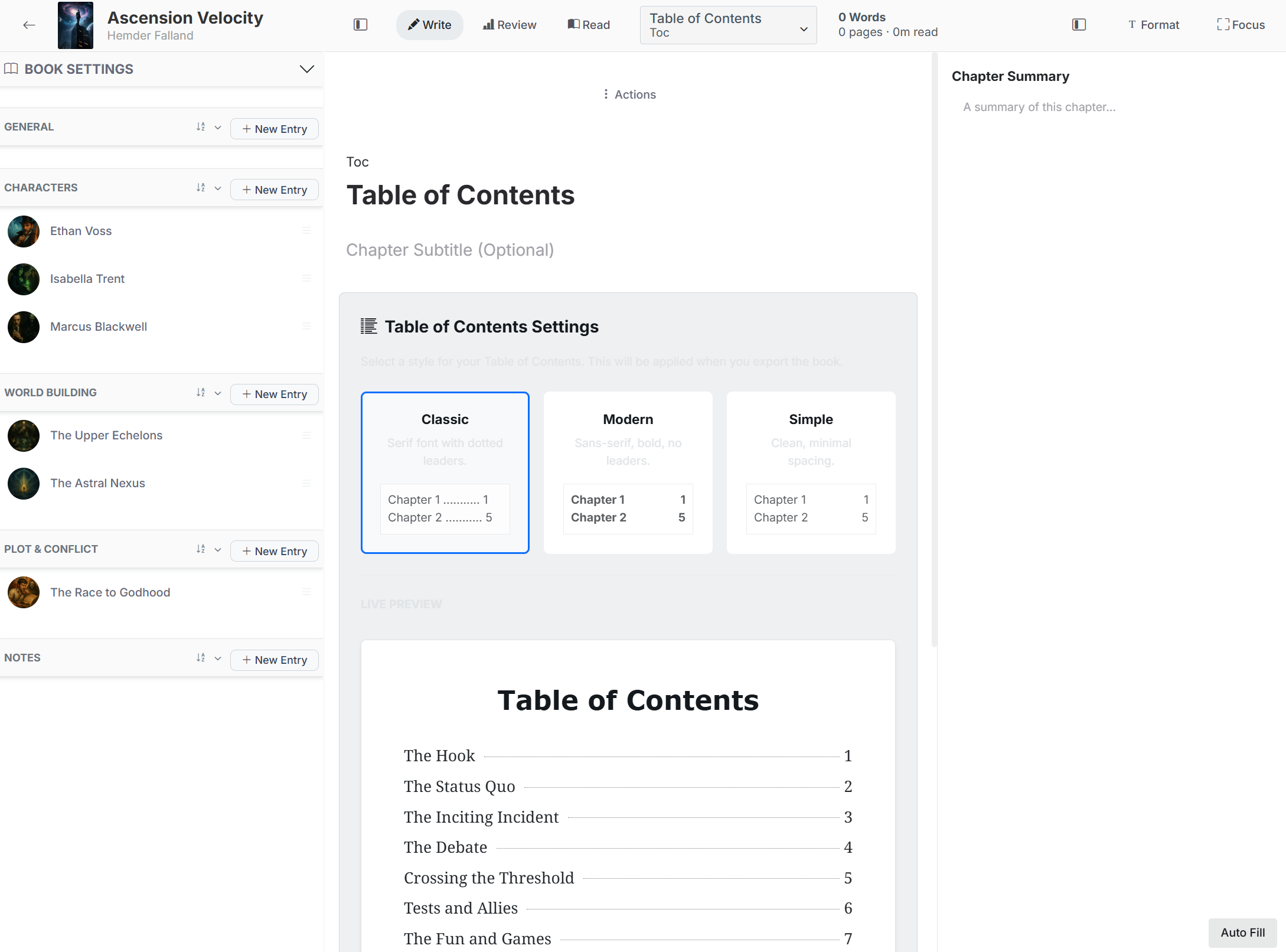
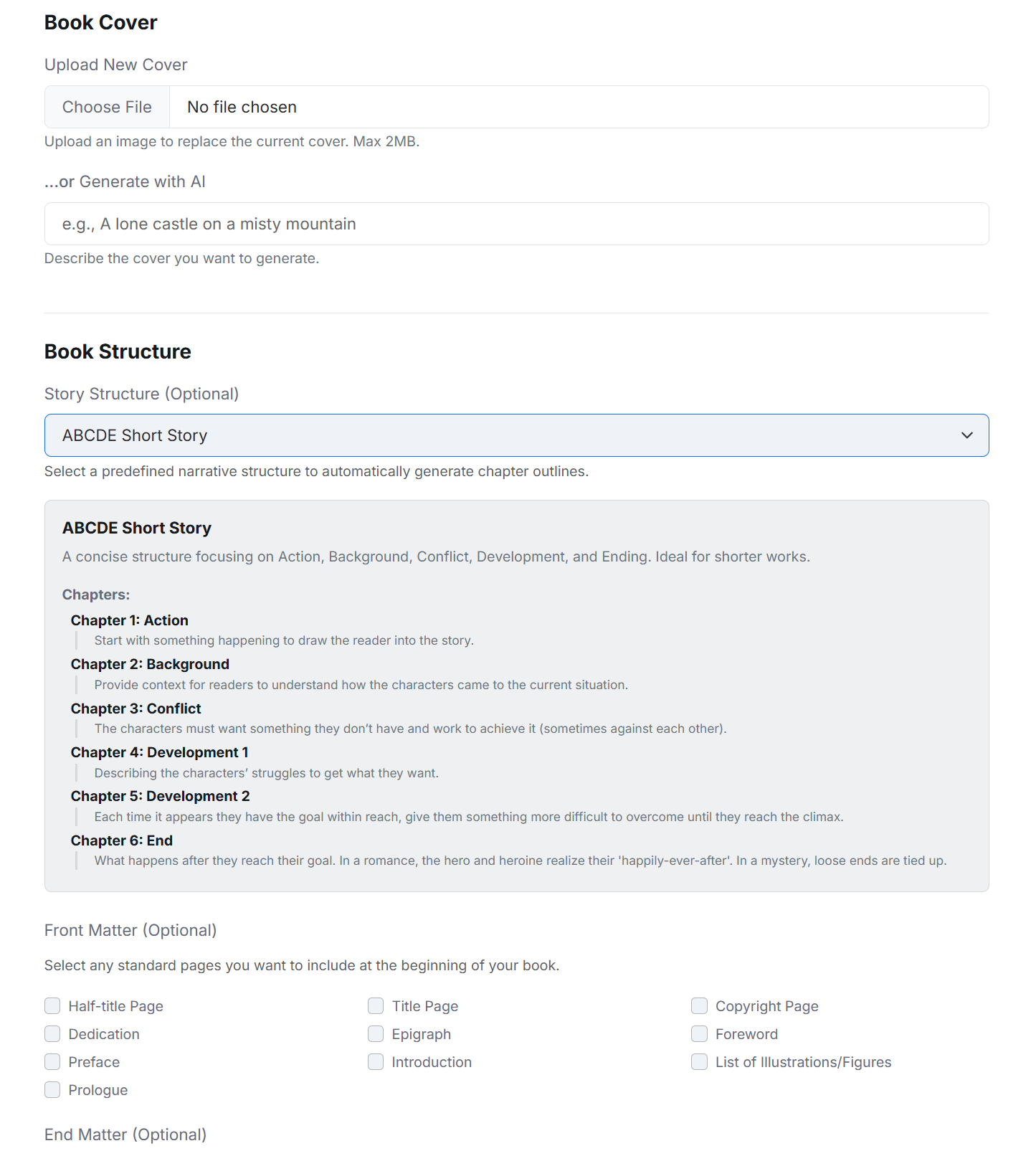
Choose a table-of-contents style, organize front and end matter, then export the manuscript as DOCX or EPUB.
Bring the draft, the outline, the unruly cast, and the half-formed idea. FictionFusion will help you keep it together and keep moving.
Start writing with FictionFusion